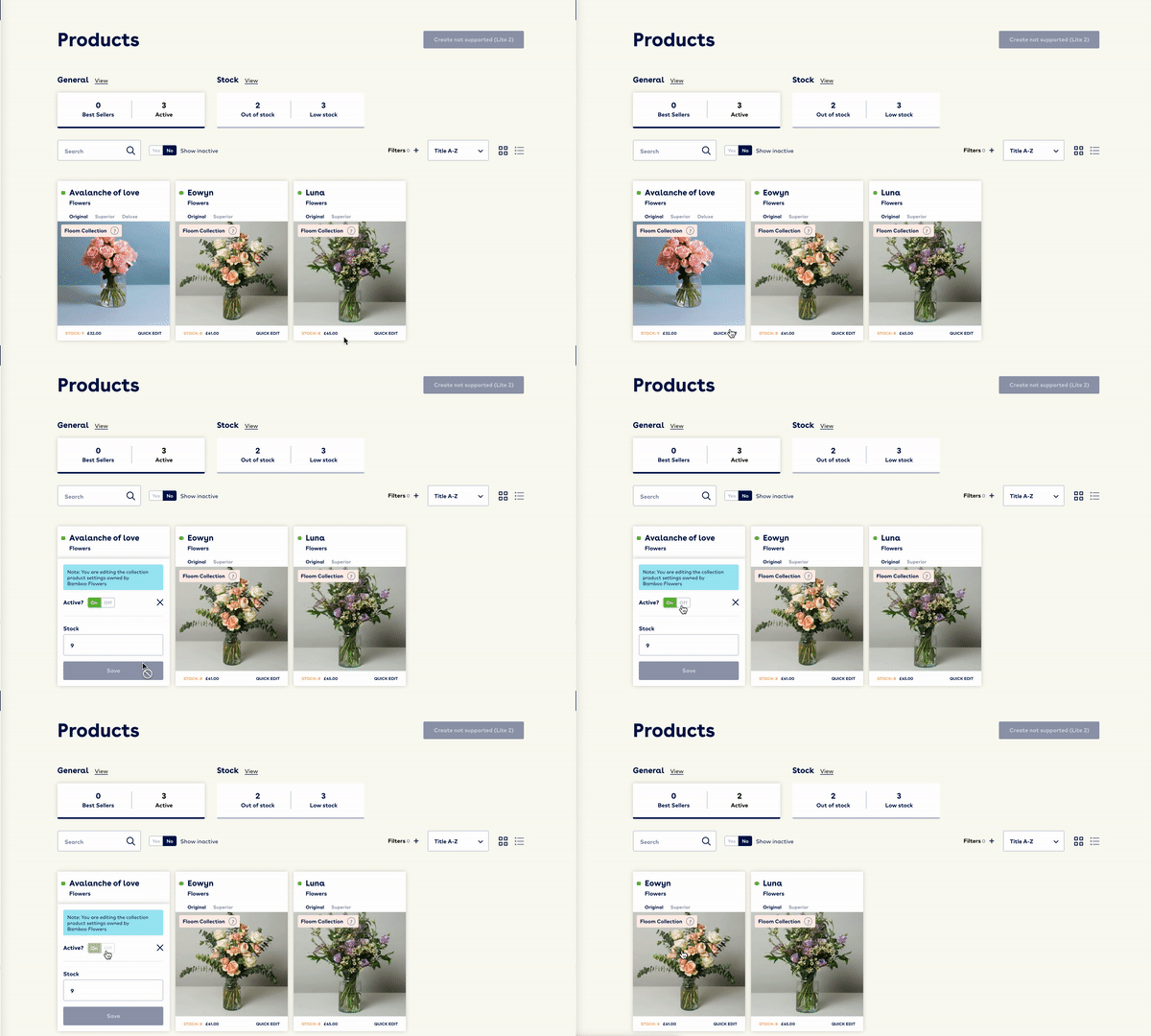
If your business is taking some time off and you are a Floom Collection florist you must make your products inactive to avoid letting customers down. The steps below will show you how to set your Floom shop offline.
✏️ Don't forget... To ensure that you don't have orders to fulfil on the days you are away, set your products inactive 2-3 days before you are due to be closed.
How to set a holiday with Floom Collection?
- Login to your FloomX account
- Head to your products page
- Click the 'Active' button at the top of the page. It will display the selection of products that you currently have set for sale on Floom.com.

- One by one, click 'quick edit' on your products and turn them to inactive until you have 0 active products.
- The green circle will change to red when the product is deactivated.
- When you are back from your holiday or time away, log into your FloomX account and turn the products you wish to sell back to 'active'. It's as simple as that.
When to set a holiday with Floom Collection
- You're taking a holiday.
- Bank holidays or public holidays - the only day automatically deactivated on Floom is Christmas day!
- A specific product is out of season or no longer available.
📸 Our creative team has put together this helpful "How to" video to help you...