I'm a Lite user, what can I do?
- You can upgrade your account at anytime to change your order cap from 5 orders per month to 25 orders per month. You can also then have up to 20 active products for sale!
I'm a Standard user, what can I do?
You can upgrade your account at anytime to change your order cap from 25 orders per month to an unlimited order cap. You can also then have an unlimited amount of products for sale!
To upgrade your account:
1) Head to FloomX and visit your Overview page
2) On here, you will be able to see the upgrade option, highlighted in green.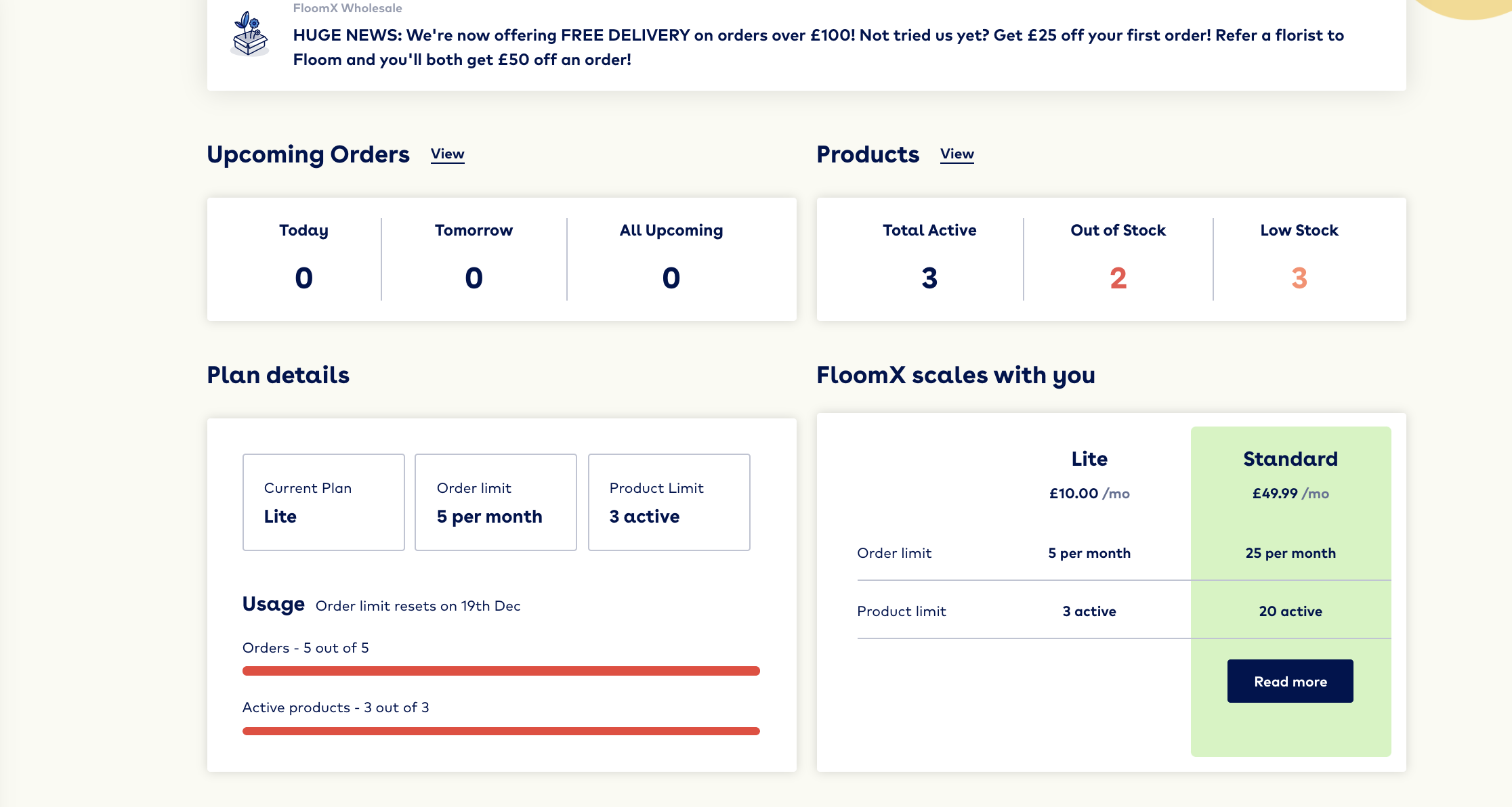
3) Click 'read more' and have a read through of what's involved in the upgrade and how it effects your billing cycle. Don't worry, clicking 'read more' will not activate the upgrade.
4) Have a read of the payment details and once you are ready to upgrade, simply ensure your payment method is up to date and click Upgrade now. 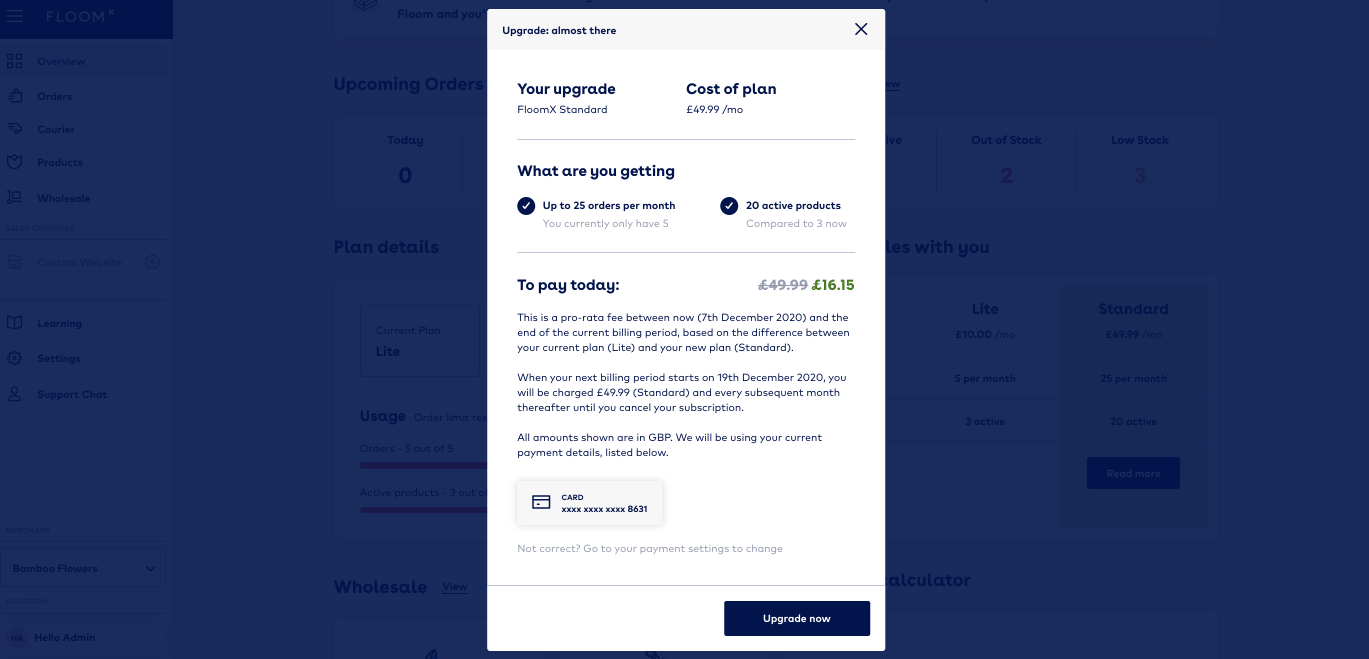
5) Immediately after the purchase, your account will be upgraded and you will receive a payment receipt to your current email address.
6) Now, you can head to your products page and start selecting products you wish to sell from the Floom collection.